Table of Contents
1. Introduction: Demystifying Pushbutton Wiring
1.1. Why Understanding Metal Switch Wiring Matters
1.2. Essential Safety First: Power Down Procedures
2. Section 1: Identifying Your Metal Pushbutton Switch Components
2.1. Anatomy of a Momentary vs. Latching Switch
2.2. Deciphering Terminal Markings (NO, NC, C)
2.3. Understanding Switch Ratings and Current Loads
3. Section 2: Gathering Tools and Necessary Materials
3.1. The Essential Toolkit for Switch Installation
3.2. Choosing the Right Gauge Wire for Your Application
3.3. Preparing the Wires: Stripping and Tinning Techniques
4. Section 3: Wiring a Simple Momentary Pushbutton Circuit
4.1. Basic Circuit Diagram for a Single LED/Indicator Light
4.2. Step-by-Step Connection Guide for Screw Terminals
4.3. Using Solder Lugs for Permanent Installations
5. Section 4: Advanced Wiring Scenarios and Testing
5.1. Integrating a Pushbutton with a Relay or Contactor
5.2. Wiring Dual-Color or Illuminated Pushbuttons
5.3. Verifying Functionality with a Multimeter
6. Section 5: Mounting and Environmental Considerations
6.1. Achieving a Watertight Seal (IP Ratings)
6.2. Best Practices for Strain Relief
7. Conclusion: Your Successfully Wired Metal Pushbutton
7.1. Final Checklist Before Power Restoration
7.2. Key Takeaways for Reliable Switch Operation
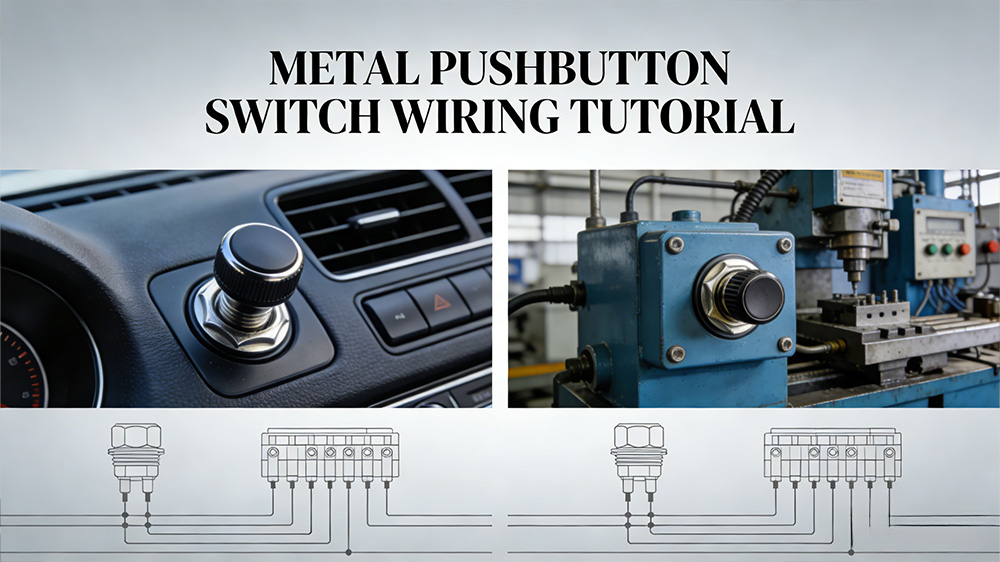
Metal pushbutton switches pop up everywhere—from car dashboards to factory machines. They look tough and reliable, but wiring one can seem tricky at first. This guide breaks it down into easy steps. You'll learn how to handle terminals, pick tools, and test your work. No need for fancy skills, just follow along to get your switch wired right.
Introduction: Demystifying Pushbutton Wiring
Why Understanding Metal Switch Wiring Matters
Metal pushbutton switches hold up well in tough spots. Factories use them for control panels, cars for horns or lights, and hobbyists for custom gadgets. Many folks shy away from wiring because it feels like a shock risk or too complex. But with clear steps, you can wire a metal pushbutton switch in under an hour. This know-how saves time and cuts errors in your projects.
Essential Safety First: Power Down Procedures
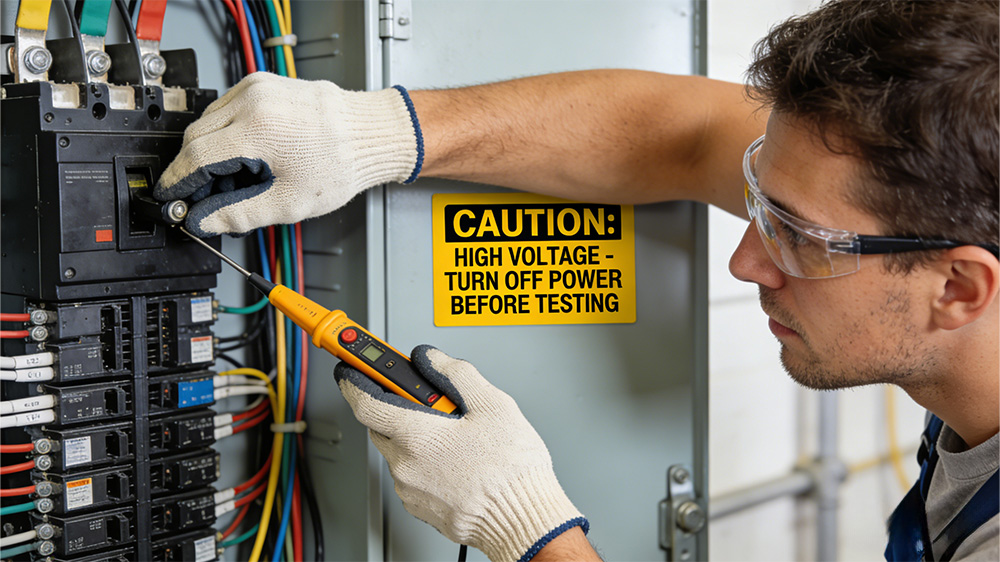
Always cut power before you touch any wires. Flip the breaker or unplug the source to avoid shocks. Wear gloves and safety glasses to protect your hands and eyes. Double-check with a voltage tester—no sparks mean it's safe to start. Safety keeps you working on more projects, not in the hospital.
Section 1: Identifying Your Metal Pushbutton Switch Components
Anatomy of a Momentary vs. Latching Switch
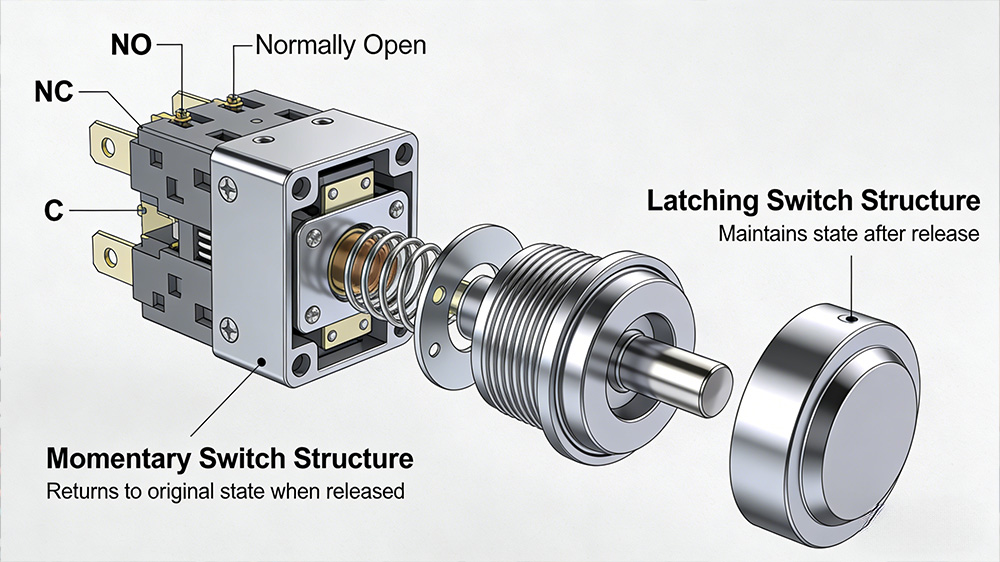
Momentary switches work only while you press them. They snap back when you let go, like a doorbell button. Latching switches stay in place after one push—on until you push again, like some light toggles. Wiring a momentary metal pushbutton switch focuses on brief contacts. For latching types, connections hold steady. Pick based on your need: quick press or lock-in action.
Deciphering Terminal Markings (NO, NC, C)
Most metal pushbutton switches have three terminals: NO, NC, and C. C stands for common—it's the shared point for power flow. NO means normally open, it connects to C only when pressed. NC is normally closed, it links to C until you push, then breaks. In rest state, NC to C carries current. Press flips it: NO to C closes, NC opens. This setup lets you control circuits with precision.
Understanding Switch Ratings and Current Loads
Check the switch's rating before wiring. It tells max voltage, like 12V for cars or 120V for homes, and amps, say 5A for lights. Mismatch leads to heat or failure. Grab the datasheet from the maker for exact specs. For a fan circuit at 2A, pick a 10A switch for safety margin. This match ensures long life and no fires.
Section 2: Gathering Tools and Necessary Materials
The Essential Toolkit for Switch Installation
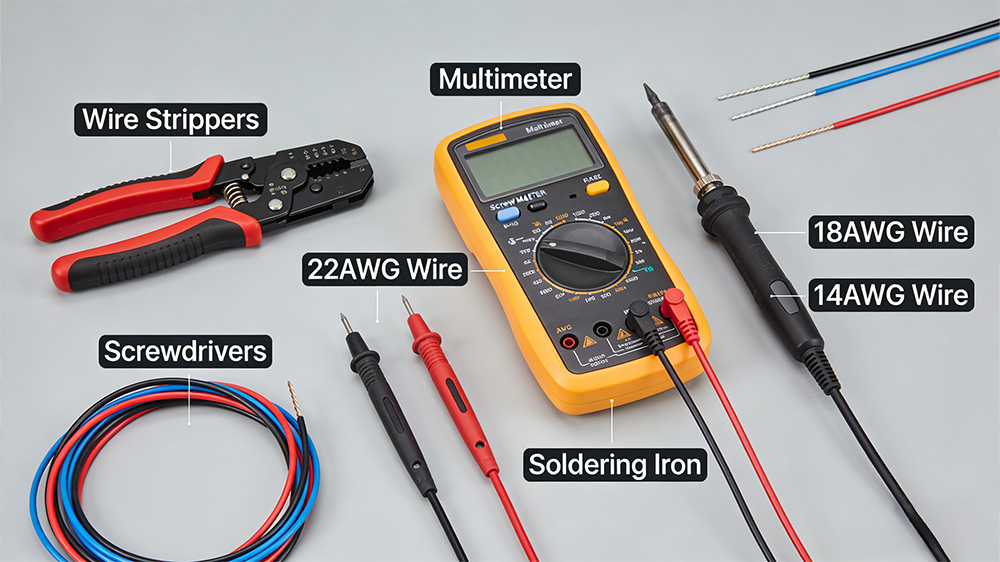
You need a few basics to wire a metal pushbutton switch. Wire strippers cut insulation clean. A multimeter checks continuity and voltage. Grab screwdrivers for terminals and pliers for tight spots. If soldering, get an iron with stand. Mounting nuts and washers secure the switch in place. These tools make the job smooth and quick.
·Wire strippers: For even cuts.
·Multimeter: To test connections.
·Screwdriver set: Flat and Phillips heads.
·Soldering iron: Optional for lugs.
·Pliers: For bending wires.
Choosing the Right Gauge Wire for Your Application
Wire gauge matters for current flow. Use AWG 18 for low loads under 5A, like LEDs. Thicker AWG 14 handles 15A for motors. Longer runs need thicker wire to avoid voltage drop. For a 10-foot car light circuit at 10A, go AWG 16. Check charts online for your setup. Right size prevents overheating.
Preparing the Wires: Stripping and Tinning Techniques
Strip about 1/4 inch of insulation from each end. Twist the strands to keep them neat. Avoid nicking the copper— that weakens it. For tinning, heat the end and touch solder. It coats the wire for better grip in terminals. This step shines in screw types, it stops fraying. Practice on scrap first for steady hands.
1.Cut wire to length.
2.Strip outer layer gently.
3.Twist exposed strands.
4.Tin if using lugs: heat, add solder.
Section 3: Wiring a Simple Momentary Pushbutton Circuit
Basic Circuit Diagram for a Single LED/Indicator Light
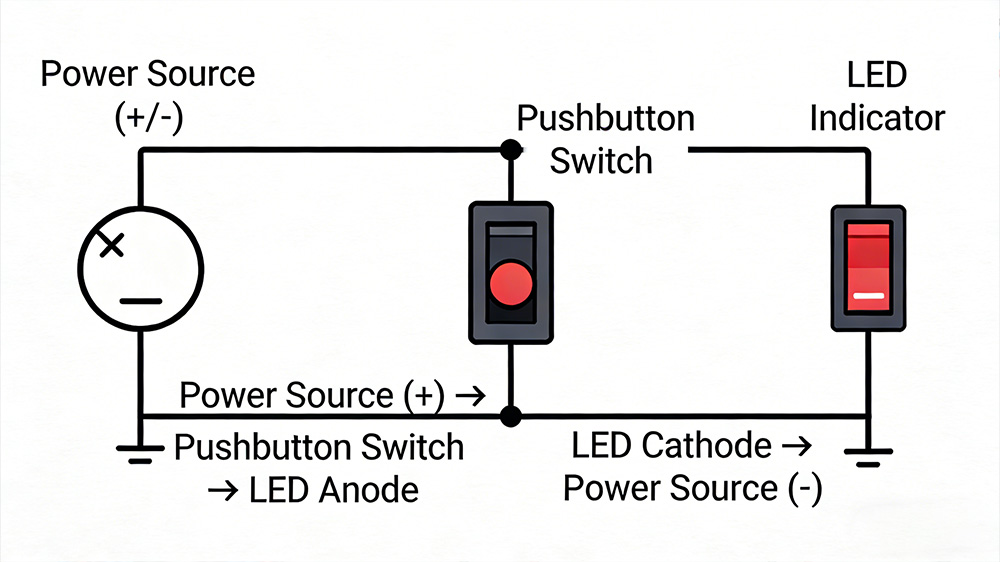
Start with power source to the common terminal. From NO, run wire to the LED's positive leg. Add a resistor if needed, then ground the LED's negative. When pressed, current flows through NO to light it up. This low-voltage setup suits 12V systems. Sketch it out: battery positive to C, NO to LED, ground back. Simple path keeps it reliable.
Step-by-Step Connection Guide for Screw Terminals
Loosen the screw on C terminal. Insert the power wire, then tighten firm. Do the same for load wire on NO. Skip NC unless your circuit needs it closed at rest. Tug lightly to test hold. Tight screws mean no loose contacts or arcs. For metal pushbutton switch wiring, this method works for most installs.
1.Turn off power.
2.Strip wires.
3.Connect to C: power in.
4.Connect to NO: load out.
6.Insulate exposed parts.
Using Solder Lugs for Permanent Installations
Some switches have lugs for solder. Strip wire end. Slide into lug hole. Heat lug and wire together. Feed solder until it flows smooth—no blobs. Let cool without moving. This bond beats screws for vibes in cars. Clean joints last years without fail.
Section 4: Advanced Wiring Scenarios and Testing
Integrating a Pushbutton with a Relay or Contactor
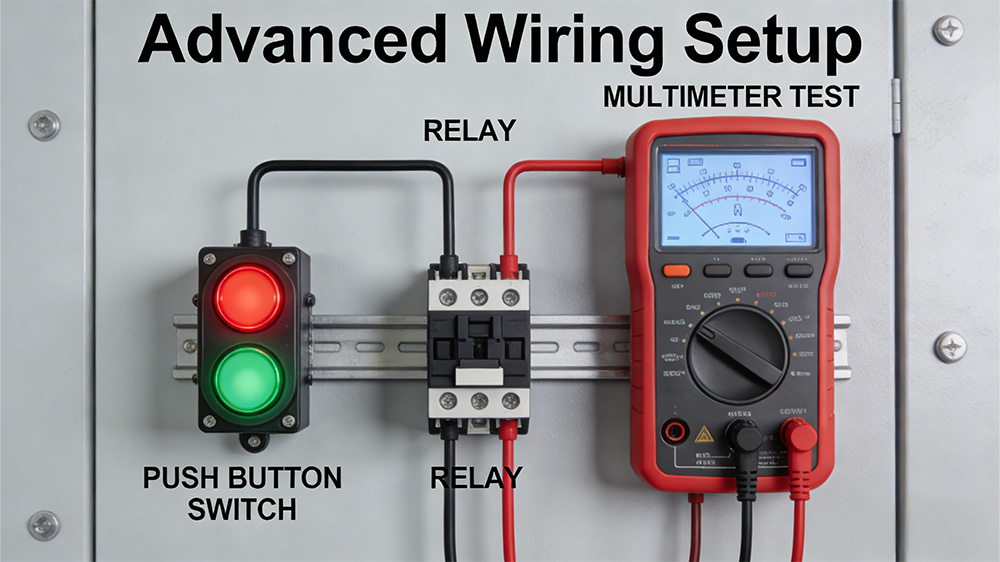
Use the switch to trigger a relay for big loads. Wire NO to relay coil positive, C to low-voltage power. Ground the coil negative. Press energizes coil, relay switches high current. This protects the switch from overload. In industrial metal pushbutton switch setups, relays handle motors up to 30A. Safe way to scale up.
Wiring Dual-Color or Illuminated Pushbuttons
Illuminated switches need extra wires for the light. Find the light terminals—often marked L+ and L-. Connect low-voltage DC to them, like 5V with resistor for LEDs. Keep switch contacts separate for main circuit. Red wire for positive light, black for ground. This glows when powered, easy to spot. Test light alone first.
·Identify light pins.
·Add resistor for current limit.
·Wire parallel to main circuit.
Verifying Functionality with a Multimeter
Power off, set multimeter to continuity. Touch probes to C and NO—no beep at rest. Press switch, beep sounds if connected. Check NC: beep off, then on press. Voltage mode tests live: read across terminals. Good toggle means success. Fix loose wires if no response.
Section 5: Mounting and Environmental Considerations
Achieving a Watertight Seal (IP Ratings)
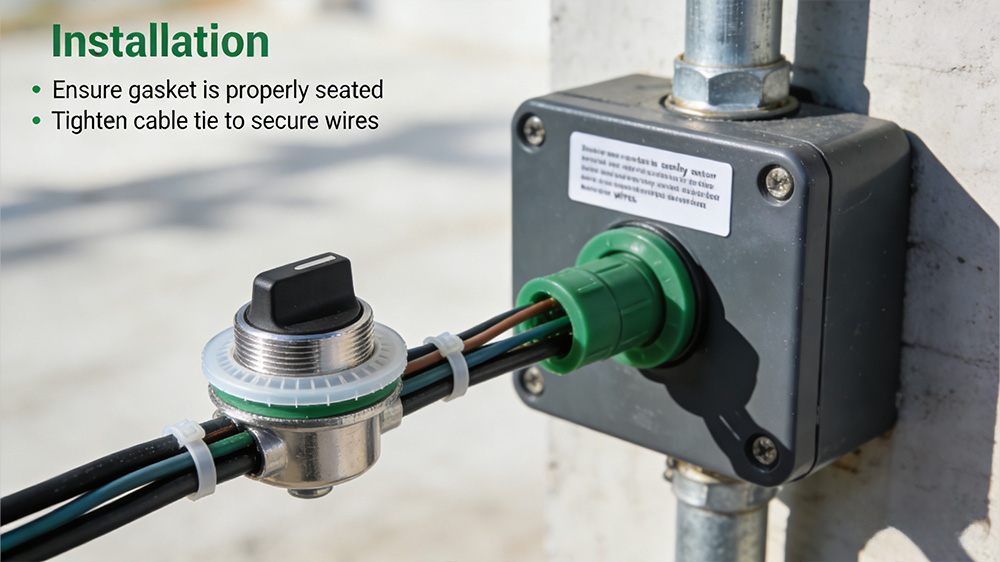
Metal switches often rate IP65 for dust and water. Use rubber gaskets under the nut. Tighten mounting ring to compress seal. For outdoors, add silicone around holes. This blocks rain in auto or yard projects. Check rating: IP67 dives deeper. Proper seal extends switch life.
Best Practices for Strain Relief
Vibration loosens wires fast. Loop extra wire behind the switch. Use cable ties to anchor to frame. In terminals, leave slack before screwing. This stops pulls from yanking connections. For car metal pushbutton switch wiring, relief cuts failures by half. Simple fix for tough spots.
Conclusion: Your Successfully Wired Metal Pushbutton
Final Checklist Before Power Restoration
Scan all screws—tight and secure. Verify polarity on lights or DC loads. Inspect for bare wires touching metal. Match switch amps to circuit draw. One last multimeter beep check. All good? Restore power slow. Your setup should click smooth now.
Key Takeaways for Reliable Switch Operation
Know NO, NC, and C to wire right. Match ratings to avoid meltdowns. Tools like strippers make prep easy. Test every step for peace. With these basics, handle any metal pushbutton switch install. Grab your parts and try it—your projects will light up perfect. For more tips, check relay guides next.